Design your plant's inspection, sanitation and production forms on a drag-and-drop canvas, then fill them as a step inside receiving, shipping and production close.
Start from 15+ forms written for food plants, or upload the sheet you already print and drop fields on top of it. Every completed record can be found by the words written inside it, not just by its name.

The receiving check, the sanitation log, the CCP record, the line clearance sheet. Most of them started as a Word file, got printed by the ream, and now sit in a binder nobody can search. The form itself is usually fine. What happens after it is signed is the problem.
NutraSoft turns those sheets into forms your own QA team designs, that operators fill as part of receiving, shipping or a production close, and that anyone can find again by typing a word that was written inside them.
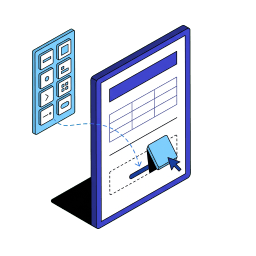
A drag-and-drop canvas with headings, tables, rules and every kind of field a record needs.

The form opens inside receiving, billing, invoicing, shipping and production close.

Search the words written inside a completed record, not just its name.
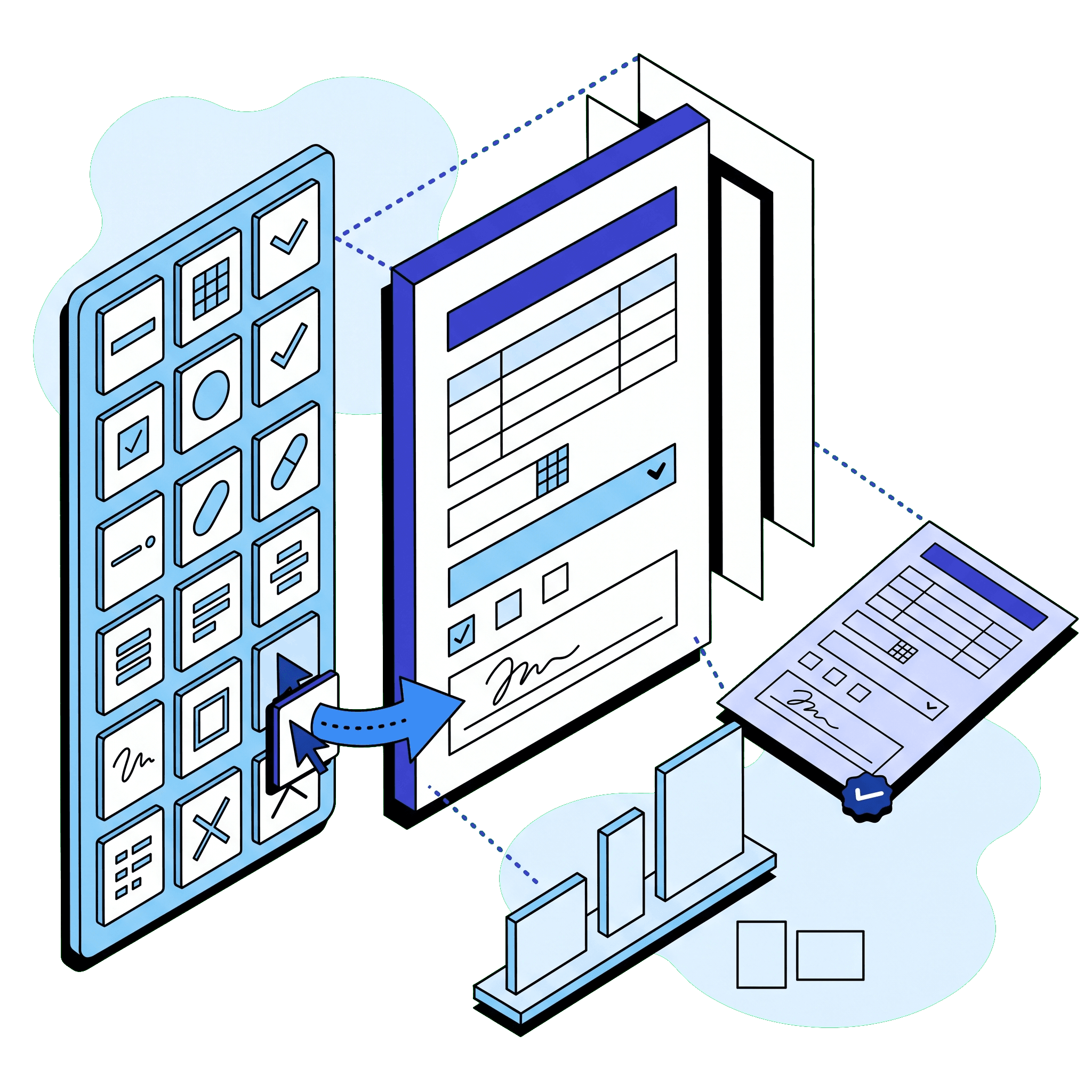
Build a printable form on a page-accurate canvas: more than a dozen kinds of element, from headings and tables through dates, dropdowns, checkboxes and signature capture, on Letter, A4 or Legal in portrait or landscape, over as many pages as the record needs. What you place on the canvas is exactly what prints.

Open a ready-made record instead of a blank page. The starters cover quality control, reception and purchasing, manufacturing and shipping, each one fully translated, so a Sanitation Log started in French prints with French headings.

Upload the flat PDF of a sheet the floor already uses and drop input fields straight onto it. The uploaded document stays as the background at its own page size and page count, with your fields sitting on top of the artwork. A PDF that is already fillable brings its own fields in automatically.

The fill dialog opens inside the flows your plant already runs, from receiving and supplier bills through customer invoices, shipping and production close, listing only the forms tagged for that flow. Required fields come first, behind a completion bar.

Every completed record is indexed by what was written inside it, so the archive searches the content of the document, narrowed by type and date range. Correct an answer and both the PDF and its search text are rebuilt from it.
The designer itself is above. These are two examples of what filling one of its forms looks like on screen, a plain record and one built around a table.
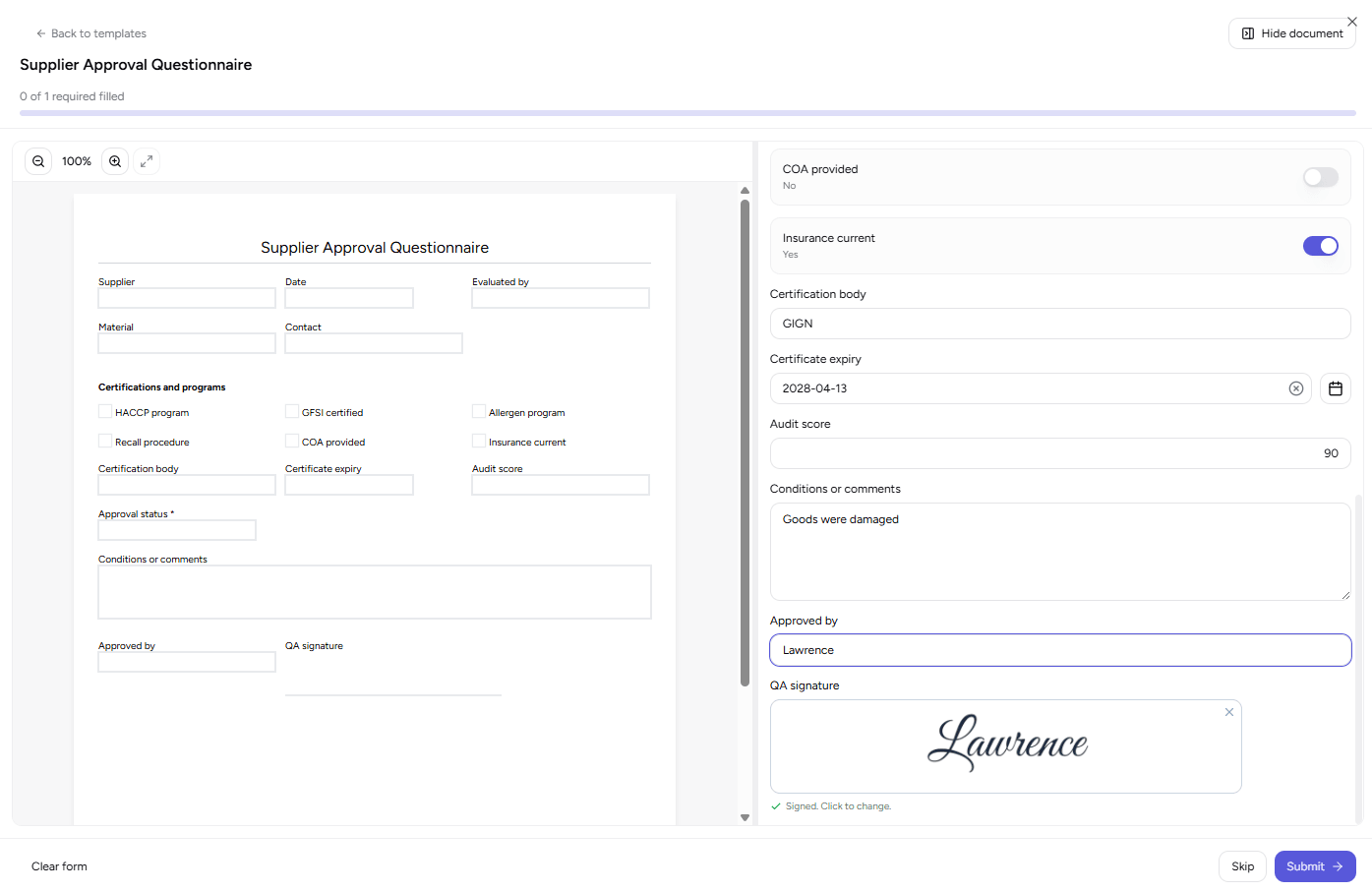
The blank sheet sits beside the answers being typed, required fields grouped first behind a progress bar that will not call the form complete until they are done. A signature is captured on the spot and placed into the finished PDF.
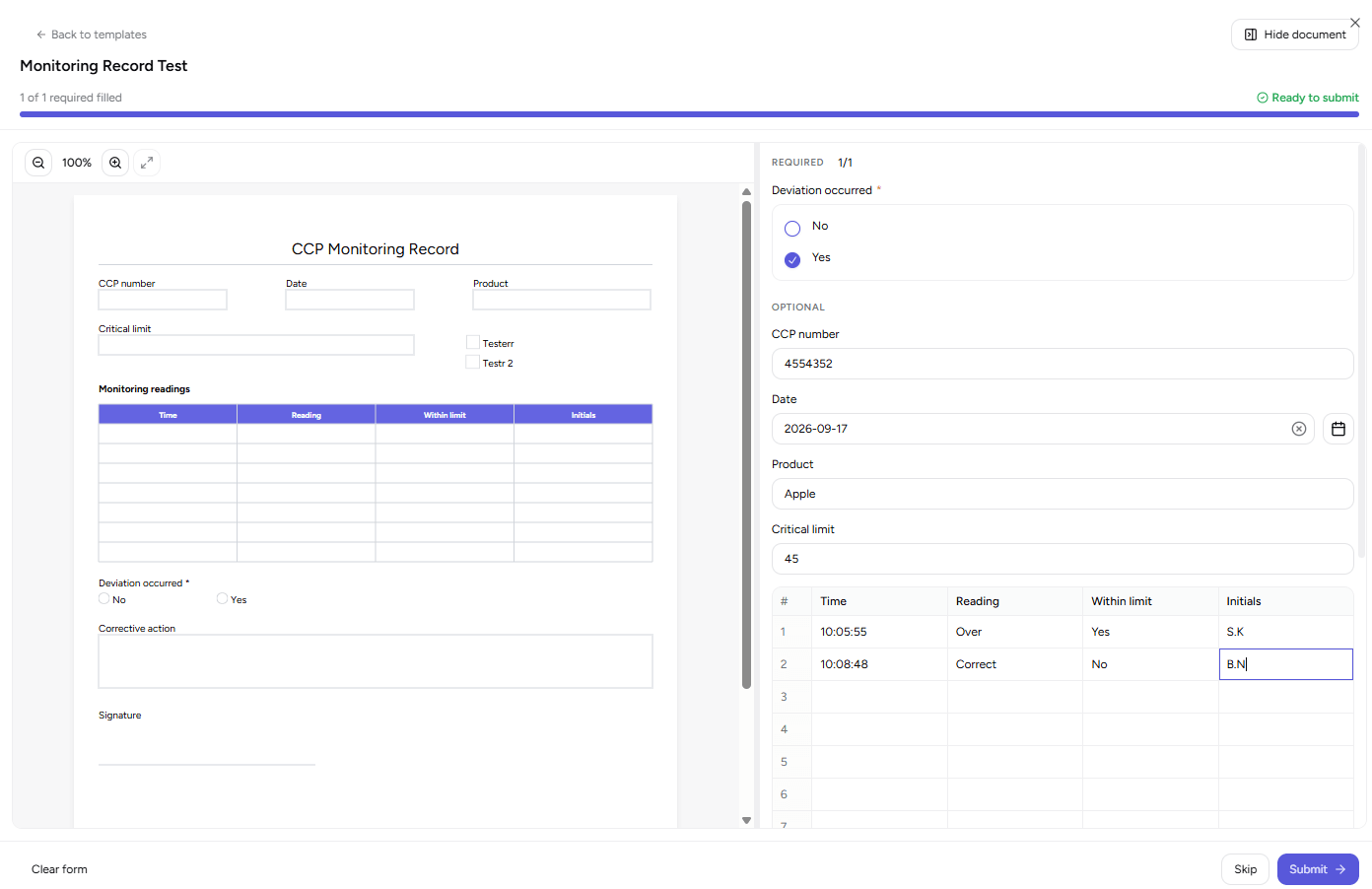
Turn on fillable cells and a CCP monitoring log drawn as a four-column table is laid back out as that same grid at fill time, row by row, instead of a stack of loose inputs. The operator fills it the way it reads on paper.
The form is not a separate quality errand. It appears in the flows the plant works through every day, and the finished PDF stays attached to the record it documents.
Five steps take a form from the canvas to a searchable record attached to the transaction it documents:
Start blank, from one of the starters, or by uploading the PDF the plant already prints
Place headings, tables and input fields on the canvas, then preview the real PDF before saving
Name the form, tag it Reception, Shipping or Production, and save it as a standard fillable PDF
The dialog opens during receiving, shipping or a production close, with a signature pad where the form asks for one
The finished PDF becomes searchable, is attached to that record, and is listed in Filled Documents
The module produces the written records certification schemes and regulators expect, on the forms your plant already recognises:
Overlay mode places fields on the sheet you already print, so the floor sees no change while the data starts being captured
Food-plant starters open straight into an editable canvas. No ticket, no consultant, no development cycle
Completed PDFs are searchable by their content, so a question about a date, a lot or a temperature is a search rather than a trip to the filing cabinet
The finished document is attached to the bill, invoice or production it was filled for, carried by the purchase or sales order until that bill or invoice exists, and on bills, invoices and productions it cannot be deleted out from under that record
One plant might run four forms; a certified multi-line site runs forty. Templates are tagged by flow and filtered at fill time, so an operator on receiving never scrolls past shipping paperwork, and separate view, create and delete rights cover templates and completed records, so a line operator can fill a form without being able to redesign or delete one. Your templates, completed records and design images stay inside your own site. The Form Designer ships with NutraSoft Quality Control on the Enterprise plan.
Direct answers to what food and beverage manufacturers ask about replacing paper quality records with designed PDF forms.
A PDF form builder lets a plant design its own quality records instead of buying or coding them. In NutraSoft you lay out a form on a drag-and-drop canvas, add text, date, checkbox, dropdown and signature fields, and save it as a standard fillable PDF that operators complete during receiving, shipping and production.
Yes. Overlay mode takes the flat PDF of the sheet you already print and lets you place input fields directly on top of it. The uploaded document stays as the background and its page size and page count are used as they are, so the form on the clipboard looks unchanged while the data starts being captured digitally.
Seventeen, all written for food plants: CCP Monitoring Record, Sanitation Log, Receiving Inspection Report, Non-Conformance Report, Allergen Changeover Verification, GMP Internal Audit, Equipment Calibration Record, Batch Production Record, Line Clearance and Start-Up, Production Yield Reconciliation, Cold Chain Temperature Log, Outbound Load Inspection, Maintenance Work Order, Purchase Requisition, Supplier Approval Questionnaire, Supplier Corrective Action Request and Goods Return to Supplier.
Inside the work they are already doing. The fill dialog opens in receiving, supplier bills, customer invoices, sales order shipping and production close, listing only the forms tagged for that flow. Required fields are grouped first with a progress bar, and part-finished answers are kept as a draft in that browser, ready to restore if the operator is called away.
Every completed PDF is indexed by its content when it is submitted, so the Filled Documents archive searches the words written inside a record, not only its name. Filter by template type and date range, and open the document beside the answers that produced it. Where a document cannot be read as text, it stays searchable by name and template.
Yes. A signature field prints as a signature box on the blank form and opens a capture pad at fill time, at the same proportions as the printed box. The operator draws it or types a name in a script style, and it lands in the finished PDF exactly where the box was, on the right page.
No. There are no merge fields or data binding in the form designer, so every value on a completed record is typed by the person filling it or comes from a default the form's author set. What is automated is the context: the right forms open inside the right flow, and the finished PDF is attached to the bill, invoice, order or production it belongs to.
Yes. The designer, the fill dialog and all seventeen starter forms are translated into English, French, Spanish and Portuguese, so a Sanitation Log started in French prints with French headings, section labels, field captions and dropdown values.
Enterprise. The Form Designer, the Audit & Inspection template library and the Filled Documents archive all sit behind the Quality Control entitlement, which the Enterprise plan includes. Enterprise starts at CAD 190 per month; the pricing page carries the current figure and the rest of what the plan covers.
Book a walkthrough of the Form Designer and we will build one of your plant's real forms on the canvas, overlay mode included, so you can see exactly what your paperwork looks like the day after.
Continue learning about our other modules:
