
Recipe costing software for food manufacturers
Know what every recipe, batch and lot really costs, and the margin on every product you sell. Ingredient costs can update from what you actually paid, so the numbers stay current.
In short
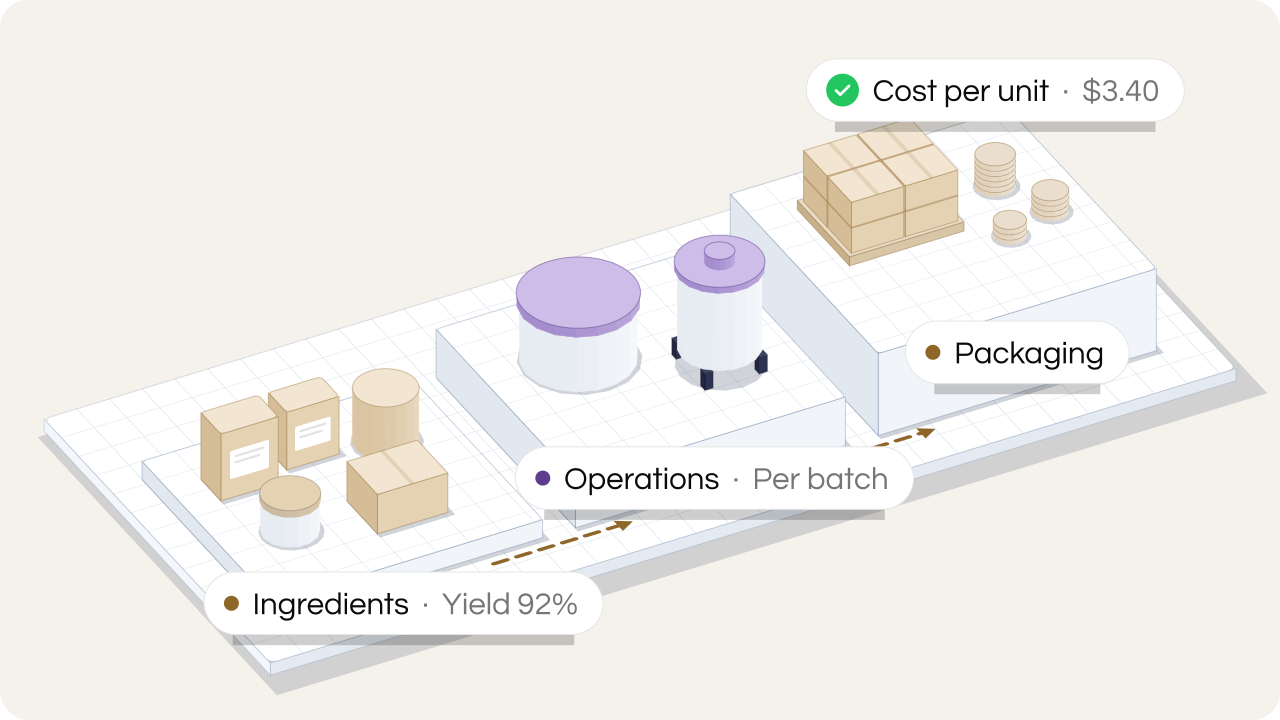
NutraSoft is a cloud ERP for food and beverage manufacturers. Its recipe costing builds each recipe's cost from ingredient lines, yield, nested sub-recipes and costed operations. Ingredient costs update when a receipt is confirmed, using last, average or manual cost. Each production run compares estimated with actual cost, and reports show what every finished lot cost and the gross margin on every product.
Plans: Food Manufacturing and Enterprise. Recipe costing is included in both ERP plans, Food Manufacturing Software and Enterprise. Actual lot costing, where each lot carries its own cost, is switched on per account by NutraSoft on request.
What recipe costing in NutraSoft includes
Recipe cost roll-up
Every recipe is costed from its own lines, all the way down through nested sub-recipes.
- Ingredient lines at their current cost, shown in g, kg, lb or oz
- Operation lines costed per batch, per unit or as a fixed amount, with minutes
- Sub-recipes, including ones made on the same run, roll into the parent
- MFG-05 Recipe / BOM Cost Rollup and MFG-11 Recipe Cost per Unit reports
Yield built into cost
Trimming, peeling and cooking losses change what an ingredient really costs. NutraSoft shows both numbers.
- Yield % on ingredients, with both the gross cost and the yield-adjusted actual cost
- A sub-recipe's yield grosses up what production pulls
- Ingredient Requirements totals include that extra quantity
- MFG-01 Output & Yield and MFG-04 Scrap & Yield-Loss reports
Costs from what you paid
Ingredient cost updates from your purchasing, using the method you choose for the account.
- Last cost, average cost or manual cost
- Confirming a receipt creates the bill and updates ingredient cost
- Freight and other purchase order charges can go into inventory cost
- A cost history chart per item on purchase orders, plus the PUR-09 cost trend report
Actual cost of every run and lot
A production run records what was really used, so you see what the batch cost, not only what it should have cost.
- Estimated versus actual cost and usage variance per run
- Planned versus actual timing
- Closing a run updates cost
- MFG-12 Lot Cost Breakdown: a finished lot's cost per unit, input by input
Margin by product
Cost meets sales in the same system, so margin reports use the same numbers as production.
- FIN-01 Gross Margin by Product and FIN-02 Profitability Summary
- FIN-03 Inventory / COGS Valuation Roll
- Cost of goods sold posted per shipped lot in the Accounting app
- Export any report to CSV, Excel or PDF
Cost controls
Keep cost data accurate, and visible only to the people who need it.
- The View Product Costs permission hides cost columns everywhere, exports included
- System Alerts flag costs far from what bills paid
- Alerts for ingredients missing a unit or a supplier
- Edit history on every product and recipe: who changed what, when and from where
How recipe costing works, step by step
- 1
Build the recipe
Add ingredient lines with their yield, nested sub-recipes, operation lines with their minutes and cost, and any by-products. NutraSoft refuses a recipe that loops back on itself.
- 2
Choose how costs update
Pick last cost, average cost or manual cost for the account. From then on, confirming a purchase receipt creates the bill and updates ingredient cost, and freight or other charges can be added to it.
- 3
Check the cost before you make it
Open MFG-05 and MFG-11 to see the rolled-up cost and the cost per unit. Set a production quantity and the ingredient lines rebuild from the batch size, ready to print as a recipe sheet.
- 4
Run the batch
Operators record usage per lot, with scrap and substitutes, plus the actual start and end times. FEFO fills in the earliest-expiring lots first.
- 5
Close the run
Closing creates the output lot and any by-products as their own lots, updates cost and posts to the ledger. The run shows estimated versus actual cost and usage variance, and MFG-12 breaks the lot's cost down input by input.
- 6
Review margin
FIN-01 Gross Margin by Product and FIN-02 Profitability Summary show where you make money. When a lot ships, the Accounting app posts its cost of goods sold.
How NutraSoft calculates the cost of a batch
A recipe's cost in NutraSoft is built from its lines. Each ingredient line takes the ingredient's current cost, adjusted for yield. Each sub-recipe brings its own rolled-up cost, however deep the nesting goes. Operation lines add the cost of the work, set per batch, per unit or as a fixed amount, with the minutes each step takes.
Yield is easy to get wrong in a spreadsheet. Say onions cost $1.20 per kg and you lose 20 percent in peeling. At 80 percent yield, each usable kilogram really costs $1.50. NutraSoft shows both the gross cost and the yield-adjusted actual cost, so the difference is visible on the recipe instead of hidden in a formula.
The same logic applies to sub-recipes. If a sauce base loses weight as it cooks, its yield grosses up what production pulls, and the Ingredient Requirements totals include the extra so purchasing orders enough.
Two reports give the result: MFG-05 Recipe / BOM Cost Rollup shows how the cost builds up line by line, and MFG-11 Recipe Cost per Unit gives the figure you price from.
Estimated cost versus what the batch really cost
A recipe cost is a plan. What a batch really costs depends on what the floor used: an extra bag of flour, a substitute ingredient, scrap at the filler, a run that took an hour longer than planned.
NutraSoft records that reality on the production run. Operators record usage per lot, including scrap and substitutes, plus actual start and end times. The run then shows estimated versus actual cost, usage variance and planned versus actual timing, and closing it updates cost.
After close, MFG-12 Lot Cost Breakdown shows what the output lot cost per unit, input by input. MFG-03 Material Consumption compares used with required across runs, and MFG-04 Scrap & Yield-Loss shows where product is lost.
Where each lot needs to carry its own cost, actual lot costing is available on request: NutraSoft switches it on per account. Stock leaving a lot then goes out at that lot's cost. Either way, the Accounting ledger posts cost of goods sold for each shipped lot, at the lot's cost where it has one and the product's cost otherwise.
Keeping ingredient costs current
A recipe cost is only as good as the ingredient costs under it. In NutraSoft those costs come from purchasing. You choose the update method for the account: last cost, average cost or manual cost. When a receipt is confirmed, NutraSoft creates the bill and updates the ingredient's cost. Freight and other purchase order charges can be added to inventory cost, and a transfer between warehouses can carry its own freight cost.
Price movement stays visible. Each item has a cost history chart on purchase orders, product statistics show price and cost trends, and PUR-09 Purchase Price / Cost Trend tracks what you paid over time.
Bad data gets flagged. The dashboard's System Alerts point out costs that sit far from what bills paid, and ingredients missing a unit or a supplier, so a typo in a price does not quietly distort every recipe that uses the ingredient.
Margin by product, and who can see it
Costing pays off when it meets sales. Because invoices, production and purchasing share one system, FIN-01 Gross Margin by Product shows the margin on each product from the same costs production uses, and FIN-02 Profitability Summary rolls it up. FIN-03 Inventory / COGS Valuation Roll shows what stock is worth and what went out as cost of goods sold. The home dashboard adds a revenue and margin trend.
Every report can be filtered and exported to CSV, Excel or PDF. CSV and Excel hold every row; PDF holds the rows on screen.
Cost data is sensitive, and not everyone needs to see what a recipe costs. The View Product Costs permission hides cost columns everywhere in NutraSoft, exports included, and each report has its own permission.
Every product and recipe also keeps an edit history showing who changed what, when and from where, so when a recipe's cost moves you can see whether someone changed the recipe.
Recipe costing: questions answered
What is recipe costing software?
Recipe costing software calculates what a recipe costs to make from the cost of its ingredients, yield losses and the work involved, and keeps that figure current as prices change. In NutraSoft it also compares each production run's estimated cost with its actual cost and shows the margin on every product.
Which costing methods does NutraSoft support?
NutraSoft updates cost by last cost, average cost or manual cost, chosen per account.
For lot-level accuracy, actual lot costing, where each lot carries its own cost and stock leaving a lot goes out at that lot's cost, is available on request: NutraSoft switches it on per account.
Does the recipe cost include yield loss and sub-recipes?
Yes. Each ingredient shows its gross cost and its actual cost adjusted for yield, and nested sub-recipes roll their own cost into the parent recipe. A sub-recipe's yield also grosses up what production pulls, and the Ingredient Requirements totals include it.
Can I see what a finished lot actually cost?
Yes. After a run closes, the MFG-12 Lot Cost Breakdown report shows what the output lot cost per unit, input by input. The run itself shows estimated versus actual cost and usage variance, so you can see where a batch went over.
Can I hide costs from some users?
Yes. The View Product Costs permission hides cost columns everywhere in NutraSoft, exports included. Reports also have their own permissions.
Which NutraSoft plan includes recipe costing?
Both ERP plans include it: Food Manufacturing Software and Enterprise. You can try it in the 14-day free trial.
How is this different from costing recipes in a spreadsheet?
A spreadsheet holds the cost you typed in, on the day you typed it. In NutraSoft, ingredient costs update when receipts are confirmed, sub-recipe costs flow into every recipe that uses them, and each run records what the batch really used. You get estimated versus actual cost per run and margin per product without copying numbers between files.
Keep exploring
Recipe Costing is one part of NutraSoft's food manufacturing software, which runs the whole plant in one system. See all 22 features, how it compares or pricing.
Related features
See it on your own products
Book a demo and we will walk through your recipes, lots and orders in NutraSoft, or start a 14-day free trial.
Keep exploring: